
Prerequisites
- Have received your username and password from the experimenter.
- Have a smartphone connected to the Internet (Wi-Fi or cellular network).
- Have the sensor(s) provided for the trial, fully charged.
Get the mobile app and log in
- Step 1: Download the Contextual Instruments app from the App Store or Google Play.
- Step 2: Log in with the username and password sent by your experimenter.
- Step 3: Select the trial you are assigned to.
ℹ️ Push notifications tell you when a trial starts and when a new sequence is available. Allow notifications for the app so that you do not miss a sequence.
Run a sequence
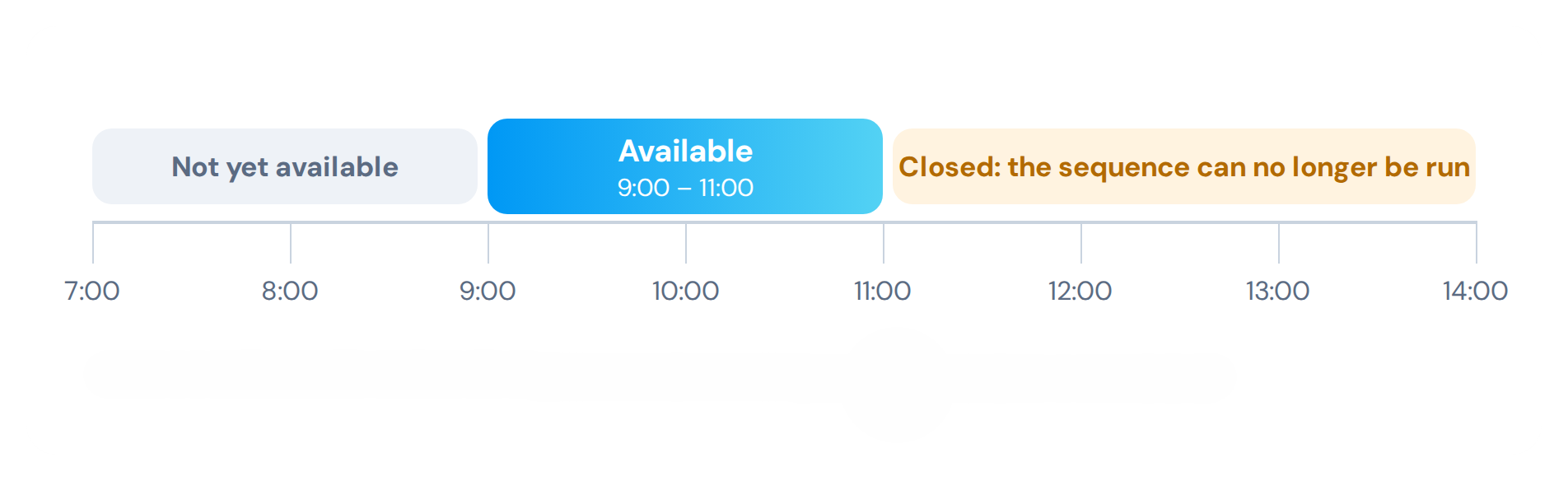
A sequence is a set of steps planned by your experimenter, available during a given time window.
ℹ️ An experimenter is the person who runs the study you take part in: they planned your sequences, created your account and are your contact if you have a question or a problem.
- Step 1: When you receive a notification, open the app and select the available sequence.
- Step 2: Follow the steps one by one. Each step can be:
- an indication: read the instructions, then continue;
- a question: answer it;
- a measure: switch on the sensor, then follow the instructions on screen. A document describing the measurement protocol may be displayed;
- a photo: take the requested picture.
- Step 3: At the end of the sequence, your answers and measurements are sent automatically.
⚠️ Caution: each sequence is only available during its time window . Once the window is over, the sequence can no longer be run.
Good practices
- Keep the sensor charged between two sequences.
- Keep the app open until the end of the sequence, with the Internet connection active.
- If you have a question or a problem with the sensor, contact your experimenter.