CI Impedance EIT
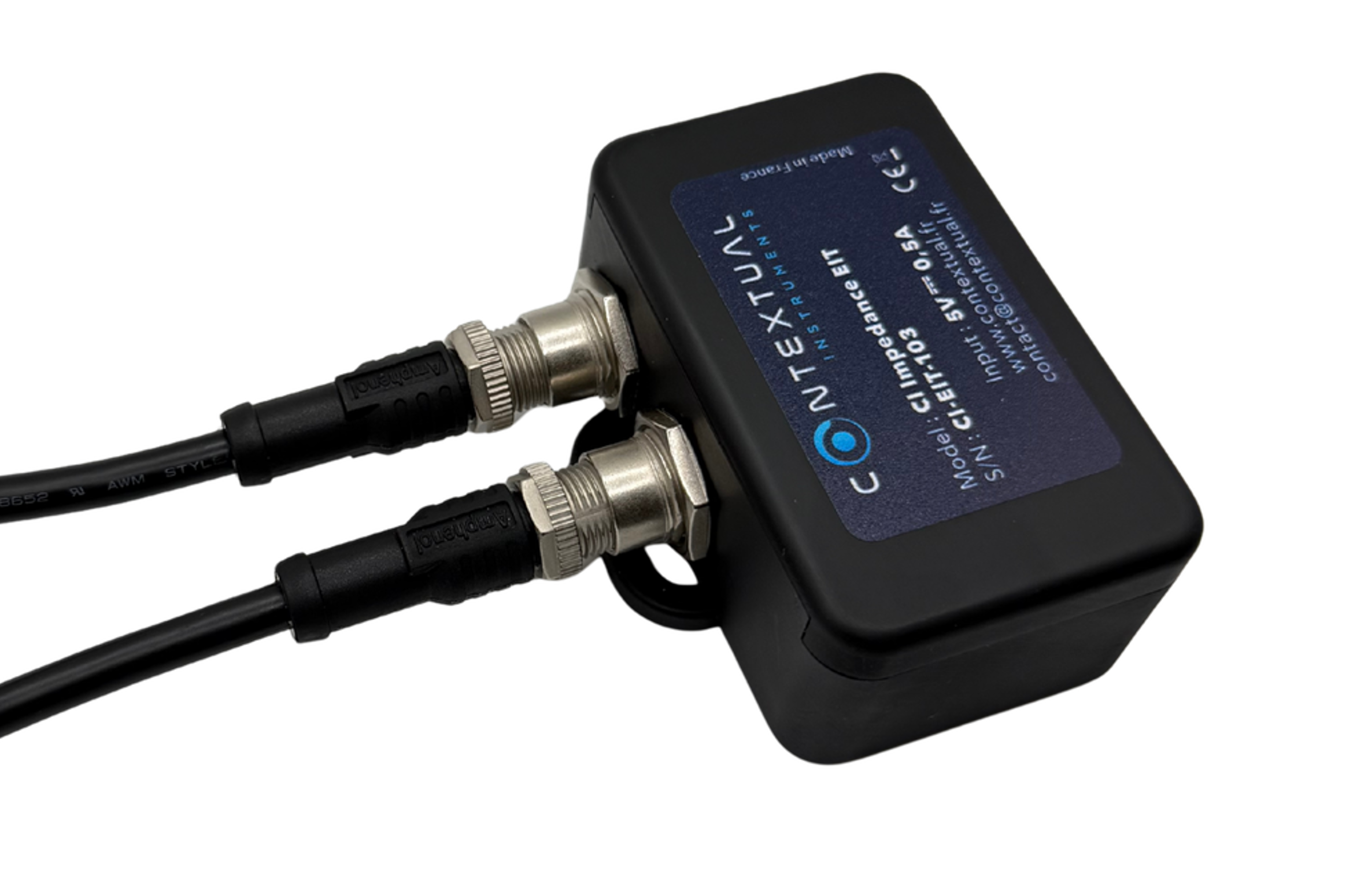
Technical specification
Measurement specifications
| Parameter | Rating |
|---|---|
| Measurement Type | up to 24 electrodes |
| Maximum frequency | 200 000 Hz |
| Minimum frequency | 100 Hz |
| Minimum Number of point per measurement | 1 |
| Maximum Number of point per measurement | 255 |
| Frequency sweep within the specified range | Linear or logarithmic |
| Polarity Type | Normal or Inverted |
Electrical characteristics
| Parameter | Rating |
|---|---|
| Battery type | Lithium-ion polymer rechargeable battery, 3.7 V nominal |
| Battery capacity | 450 mAh |
| Battery storage duration | 3 months (at 20–25 °C) |
| Power input | 5 V ⎓ via USB-C |
| Maximum charging current | 500 mA max |
| Average current consumption | 20 mA (during operation) |
| Peak current consumption | 40 mA (during measurement) |
| Full charge duration | < 1 h (typical) |
| Operation during charge | Disabled – measurements cannot be performed while charging |
Connectivity and control
| Parameter | Rating |
|---|---|
| Protocol | Bluetooth Low Energy (BLE) |
| Recommanded range | Up to 10 meters from the smartphone in line-of-sight (no obstacles) |
| Mobile application | Contextual Instruments, available on Android/iOS |
| Control features | Start/stop measurement, configuration, data visualization |
Case characteristics
| Parameter | Rating |
|---|---|
| Width | 49mm |
| Length | 79mm |
| Height | 35mm |
| IP code | IP20 |
| Shape / enclosure | Cuboidal |
| Material | Technical plastic (Resin) |
Let's Measure !
- Before first use, connect the sensor to a USB-C power source (5 VDC) and allow it to fully charge.
- Power on the device by pressing the power button. The device will turn on and automatically enter BLE advertising mode.
- Open the Contextual Instrument mobile application and follow the on-screen instructions. All steps (from launching a measurement to visualizing data) are handled within the app. You will be prompted to specify a sensor setup, which defines the sensor configuration. More details are provided in the next section.
- To power off the device, press and hold the button for 5 seconds, or allow it to shut down automatically after 10 minutes of inactivity.
Wiring diagrams
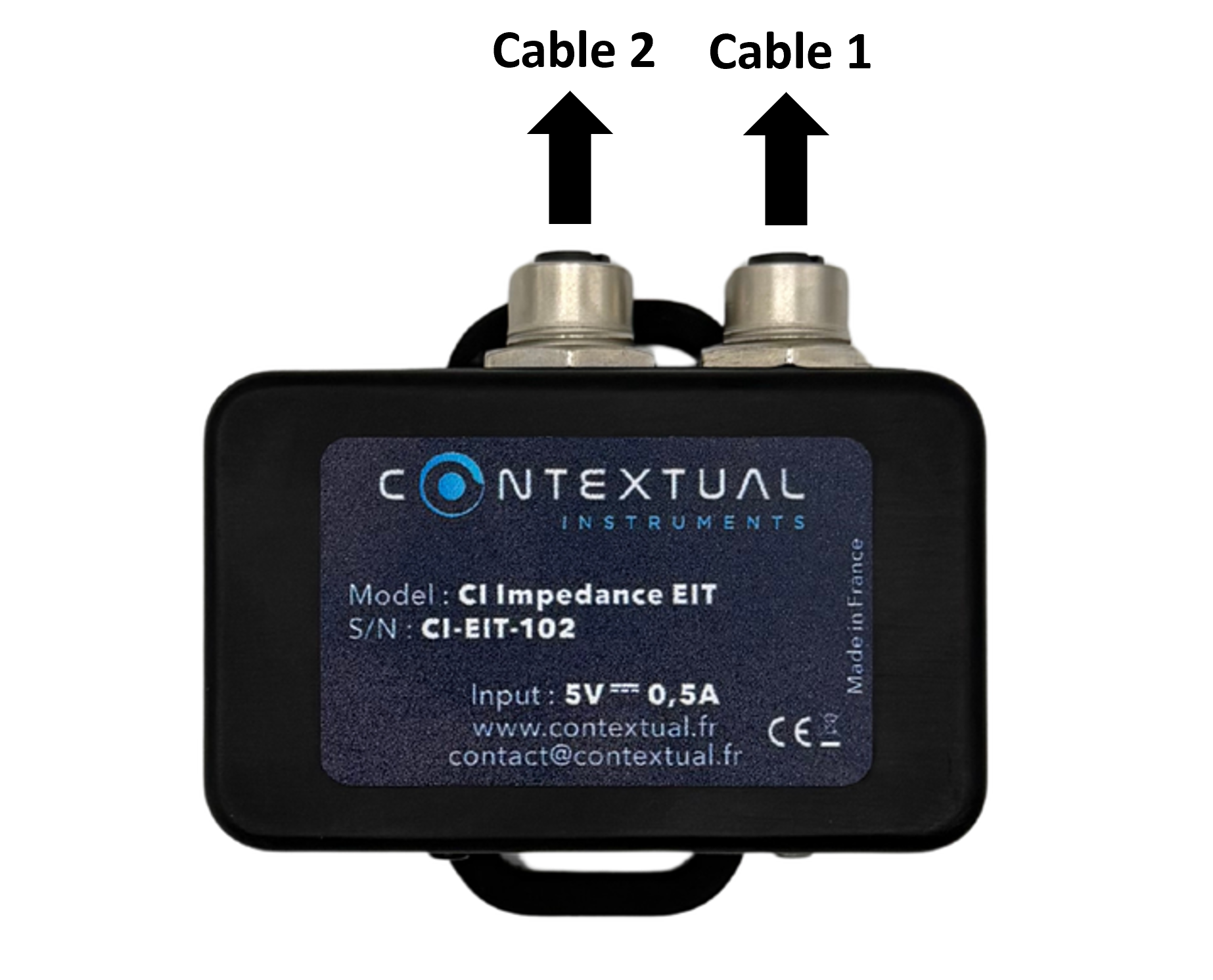
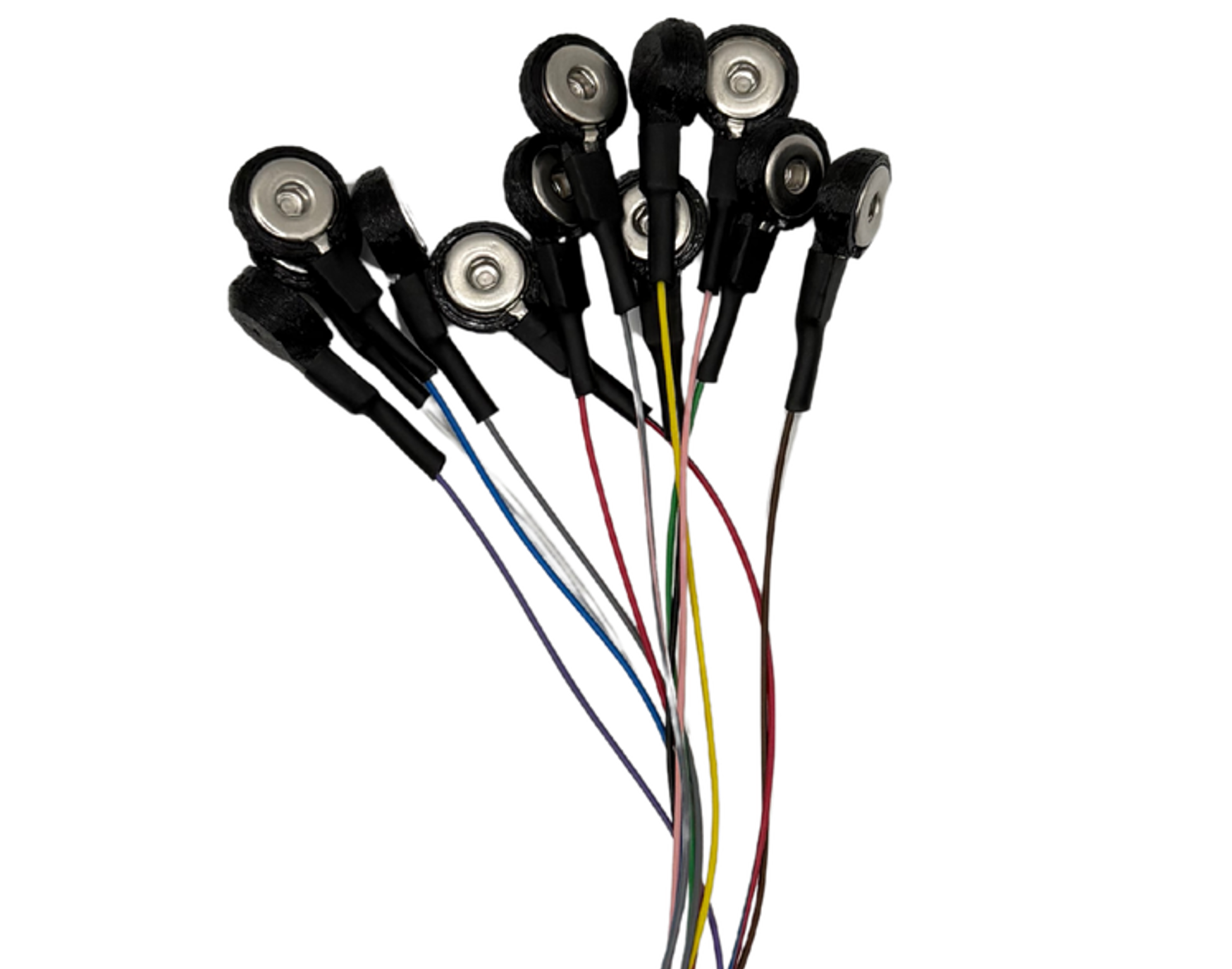
EIT allows the connection of two 12-electrode cables. The table below shows the correspondence between each electrode number and the button cable:
| Cable 1 - Electrode | Cable 1 - Color of the button cable | Cable 2 - Electrode | Cable 2 - Color of the button cable |
|---|---|---|---|
| 0 | White | 12 | White |
| 1 | Brown | 13 | Brown |
| 2 | Green | 14 | Green |
| 3 | Yellow | 15 | Yellow |
| 4 | Gray | 16 | Gray |
| 5 | Pink | 17 | Pink |
| 6 | Blue | 18 | Blue |
| 7 | Red | 19 | Red |
| 8 | Black | 20 | Black |
| 9 | Violet | 21 | Violet |
| 10 | Gray / Pink | 22 | Gray / Pink |
| 11 | Red / Blue | 23 | Red / Blue |
Cables 1 and 2 should be connected as follows.
As an example, here is a 12-button cable used for EIT:
EIT configuration (sensor setup)
This device is compatible with Contextual Instruments' mobile app. Please visit the Apple Store or Google Play to download it. In LIVE mode or when setting up a TRIAL, you can specify the acquisition parameters in the sensor setup. The EIT sensor setup comprises the following elements.
- Sensor setup name: The name of your setup. Name your setup wisely so you can easily reuse it when needed.
- Min frequency: Impedance measurements are taken at defined frequencies. A frequency sweep is performed between the specified minimum and maximum values. Set there the minimum value.
- Max frequency: Impedance measurements are taken at defined frequencies. A frequency sweep is performed between the specified minimum and maximum values. Set there the maximum value.
- Number of points: This corresponds to the number of frequency values at which measurements are taken within the Min/Max frequency range.
- Sweep Type: To distribute the selected number of points between the minimum and maximum frequency, the application allows two modes: linear (equal spacing between points) or logarithmic (equal ratio between points).
- Electrode selection : In the designated section, enter at least one line and up to 512 lines, each consisting of four numbers corresponding to electrode identifiers. The first number represents F+, the second F−, the third S+, and the fourth (and last) S−. Note: EIT performs only four-electrode measurements (measure type). To run a two-electrode measurement, assign the same electrode number to F+ and S+, and use the same electrode number for F- and S−.
- Polarity Type: Impedance may vary depending on the direction of excitation. It is, however, possible to inject the signal through one electrode and measure with the other in normal mode, or reverse the roles in inverted mode. -->
EIT states
| State | LED Status | Definition |
|---|---|---|
| Sleep mode | off | The device is in sleep mode. It enters sleep mode after a press of its power button. |
| Charged | solid green | The device is connected to a power source and charge is complete. |
| Charging | solid orange | The device is charging. |
| Calibration | blinking magenta | Pressing the power button while the device is in sleep mode wakes it up and starts the calibration process. The “calibration” the user experiences typically takes under one second, as it simply involves loading calibration values from the SD card. However, if an issue occurs and the SD card data is lost, the system may perform a full calibration, which takes approximately 100 seconds. |
| IDLE | blinking green | The device is ready to measure |
| Preparing mode | solid blue | Measurement has been triggered by the user. The device is preparing to start the measurement. You will hear a beep when the measurement begins. |
| Measure mode | blinking blue | Measurement in progress! The buzzer will sound once at the start and twice upon completion. |
| Error | blinking red quickly | The device has a problem with the data storage. |
| Error | blinking red slowly | The device has lost date and time |
| Any state | Any led status | Press the power button to swith it to sleep mode |
Resetting the device
Unplug the EIT from any external power source by simply disconnecting the USB cable if it is connected. Then, use a small pin, such as a paperclip, to press the reset button through the tiny hole in the case.
CSV file
The CSV file of EIT measurements is structured in two parts: measurement metadata, and the raw data.
Metadata
| Title | Definition |
|---|---|
| Sensor setup | Sensor setup name. |
| Sensor setup id | Sensor setup ID. |
| Sensor SN | Sensor Serial Number. This number is printed on the device. |
| Experimenter | Experimenter name. |
| Firmware version | EIT firmware version. |
| Date | Measurement timestamp. |
| Timezone | Timestamp timezone. The time zone associated with the recorded timestamp. |
| User note | User comments provided in the dedicated field. |
| Result data type(s) | Type of Acquired Data. |
| Device | Device type used. |
| Polarity | See EIT configuration section. |
| Sweep type | See EIT configuration section. |
| Measure type | See EIT configuration section. |
| Frequency start | See EIT configuration section. |
| Frequency stop | See EIT configuration section. |
| Samples number | See EIT configuration section. |
| Temperature | Measured by the EIT’s internal temperature sensor, which is located inside the device. Interpret the data with caution, as heat from the user’s hand may affect the measurement. |
| Humidity | Measured by the EIT’s internal humidity sensor, which is located inside the device. |
| Pressure | Measured by the EIT’s internal pressure sensor, which is located inside the device. |
Raw data
The raw dataset includes 7 columns: Frequency (Hz), Zr (Ω), Zi- (Ω), F+, F-, S+, and S-, where ‘r’ stands for the real part and ‘i’ stands for the imaginary part.
Safety & Handling
Safety Information
- Stop using immediately if the product overheats or emits an unusual odor.
- Keep out of reach of children.
- Use only within the environmental limits specified.
Environnemental and Usage Conditions
| Parameter | Rating |
|---|---|
| Operating temperature | +10 °C to +40 °C |
| Storage temperature | 0 °C to +45 °C |
| Relative humidity | < 85%, non-condensing |
| Operating environment | Indoor use only (laboratory, office, or medical setting) |
| Operating altitude | Up to 2000 m |
| Pollution degree | 2 |
| Intended users | Professional users |
Maintenance and Precautions
- Do not immerse the product.
- Avoid exposure to heat sources, moisture, or direct sunlight.
- Do not attempt to open or repair the device; no user-serviceable parts inside.
- Discontinue use if the enclosure, cable, or battery shows visible damage (swelling, deformation, etc.).
Cleaning Instructions
Before cleaning, ensure the device is turned off and disconnected from any power source. Clean the exterior surfaces using a soft, dry or slightly damp cloth. Do not use solvents, alcohol, abrasive cleaners, or sprays. Do not allow liquids to enter the device openings.
Storage and Transportation
- Store in a dry environment, temperature between 0 °C and 40 °C.
- Avoid impact, vibration, or prolonged exposure to sunlight.
- If unused for more than 6 months, fully recharge the battery before long-term storage.
Regulatory & Compliance
Regulatory and Electrical Symbols

Indicates that the device operates with direct current.

Indicates conformity with applicable European Union directives and regulations.
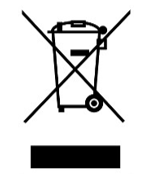
Indicates that the product must not be disposed of with household waste and must be collected separately according to the Waste Electrical and Electronic Equipment Directive.
Manufacturer
PIWIO 6 rue Bellecombe 69006 Lyon
End-of-Life
End-of-Life and Recycling
This product contains a rechargeable lithium-polymer battery and electronic components. In compliance with Directive 2006/66/EC and Directive 2012/19/EU (WEEE), this product must be collected separately and disposed of in an authorized recycling facility.
Going further
To learn more about bioimpedance measurements and the factors affecting their accuracy, see Application Note 1 and Application Note 2.